> ## Documentation Index
> Fetch the complete documentation index at: https://docs.metlo.com/llms.txt
> Use this file to discover all available pages before exploring further.
# Generating Auth Tests
After making a testing config you can generate auth tests for your endpoints in just a couple steps.
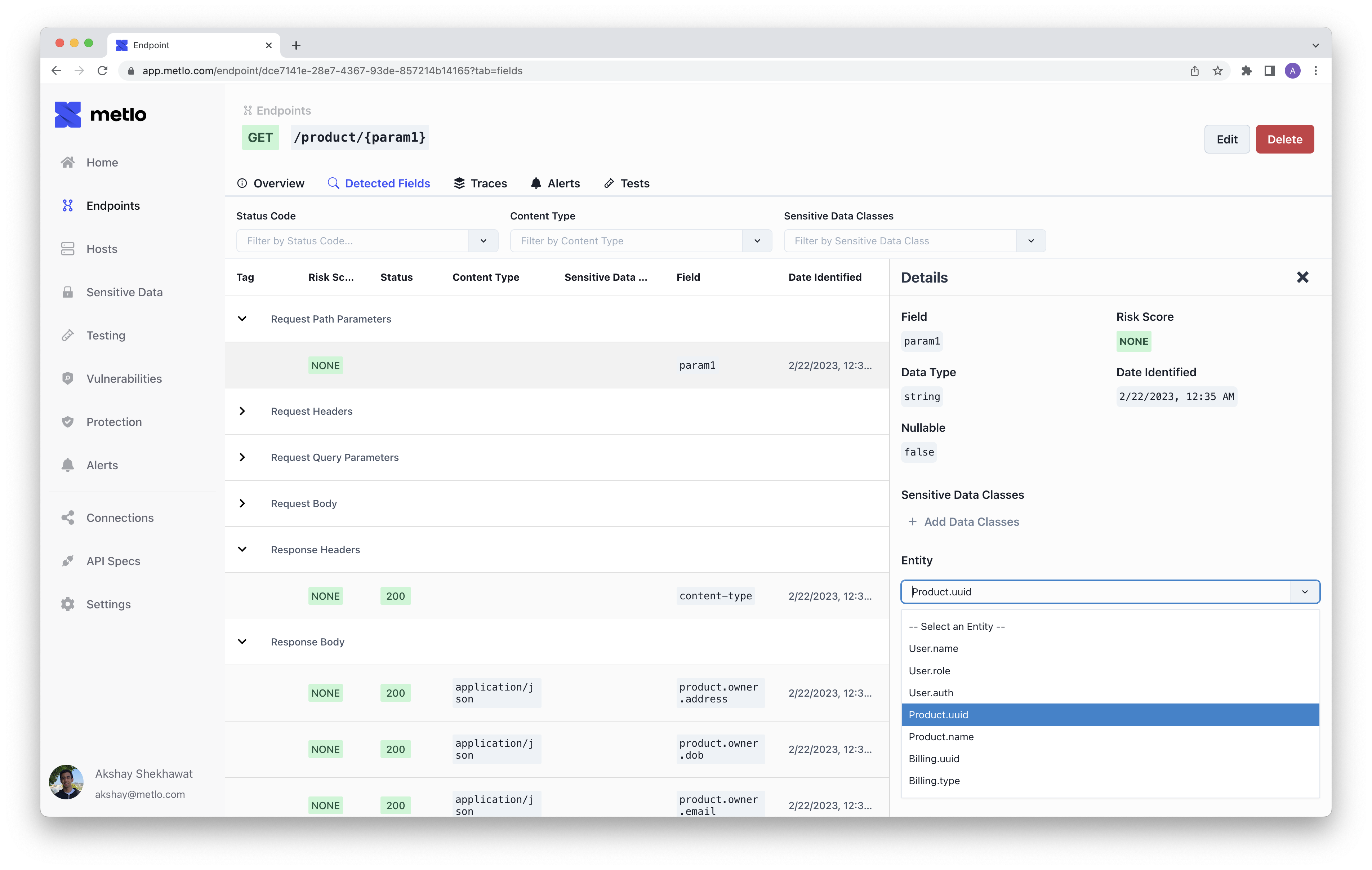
### Specifying Entities
The first step is to specify the entities for your endpoint's datafields:
 ## Making your Test
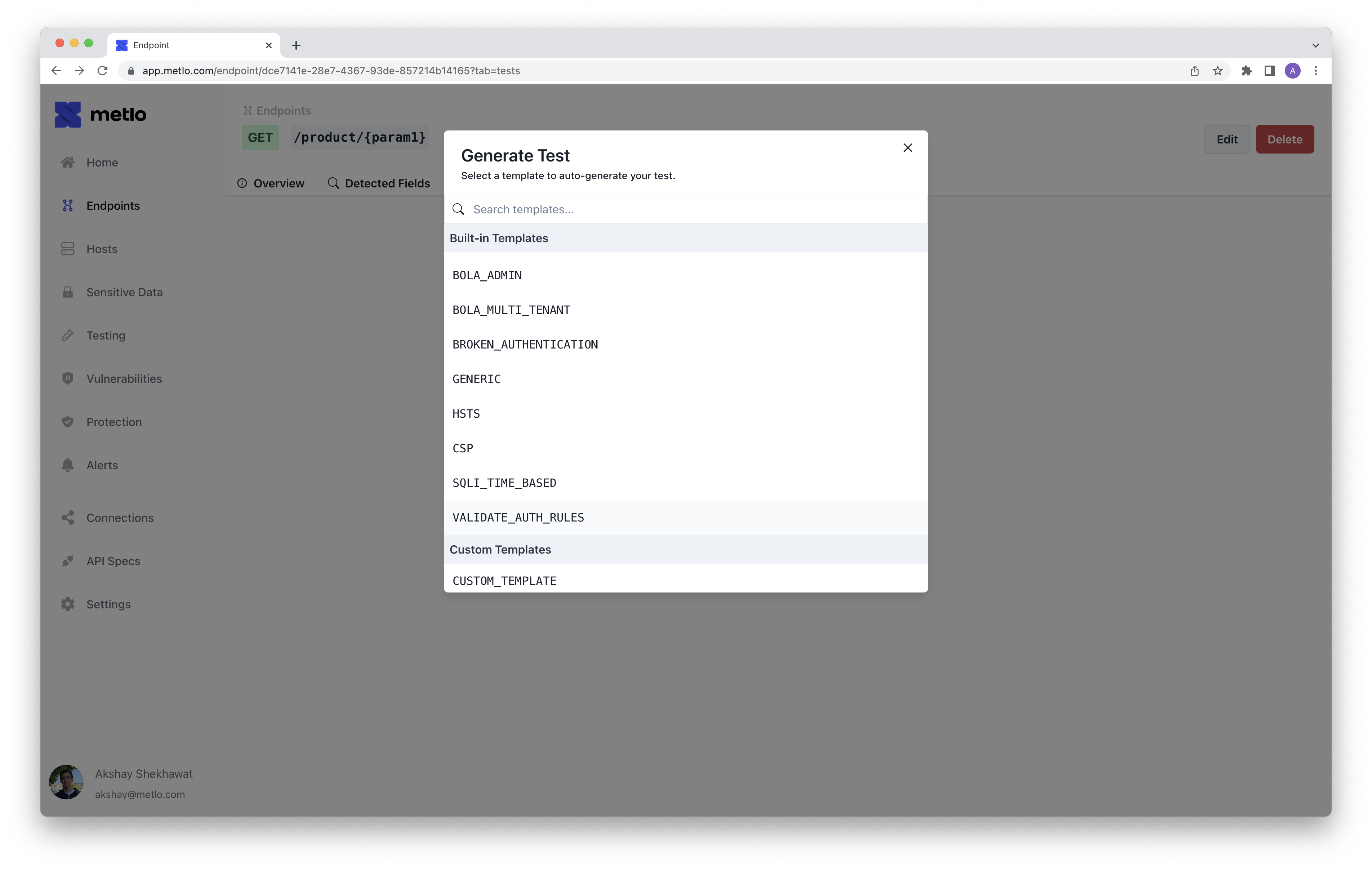
After you specify your entities you can generate a test using the `VALIDATE_AUTH_RULES` template.
You can do this in the UI on the testing tab for your endpoint:
## Making your Test
After you specify your entities you can generate a test using the `VALIDATE_AUTH_RULES` template.
You can do this in the UI on the testing tab for your endpoint:
 Or you can generate a test using the Metlo CLI:
```bash theme={null}
metlo test generate -t VALIDATE_AUTH_RULES -e
```
Or you can generate a test using the Metlo CLI:
```bash theme={null}
metlo test generate -t VALIDATE_AUTH_RULES -e
```